

The security center portal is your organization's public security page. It has three parts: your security advisories, a report form for anyone who finds a vulnerability, and your disclosure policy. Reports sent through the form arrive as cases in Nuxy; see Handle Vulnerability Reports and Cases.
The portal's address uses your organization identifier, for example security.nuxy.ai/halvorn. It is shown at the top of Security Center → Portal, with Copy Address and Preview.
Publish the Disclosure Policy
The portal can only be turned on once a disclosure policy is published.
- Open Security Center → Portal. Under Disclosure Policy, choose Hosted to publish the policy on the portal, or External Link if it is already on your own website.
- For a hosted policy, choose Start from the Template. Nuxy drafts the policy from your organization's details.
- Edit the text in each language you offer.
- Choose Publish.
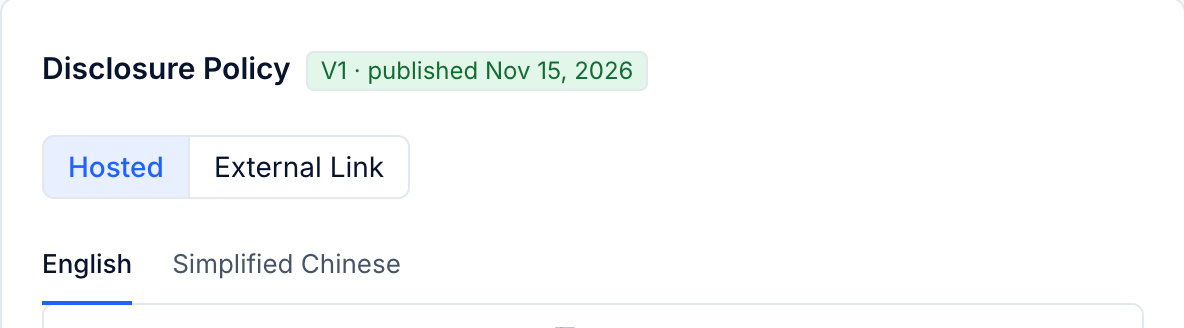
Nuxy points out anything a disclosure policy usually needs but yours lacks, such as how to report, a contact email, a first response time or the products it covers. These are hints; you can publish anyway. Each publication becomes a new version, and earlier versions are kept.
Settings
- Security Contact Email: where people can write about security.
- Theme Color: the accent color of the portal. Your logo comes from Settings → General.
- Introduction: a short text at the top of the portal, in each language.
Turn On the Portal
Choose Enable the Portal. The portal is public from then on and search engines can find it. Use Preview to see it as visitors will.
security.txt
A security.txt file tells researchers and automated tools where to report vulnerabilities. Nuxy generates one from your contact email and policy, with an expiry date, and serves it under the portal address. Choose Generate (later Regenerate). To publish it on your own website as well, Place It At shows the path, such as /.well-known/security.txt. Regenerate it before it expires.
Declarations of Conformity
Each product with a published EU declaration of conformity also gets a public page under the portal address. It stays available even when the portal itself is turned off.