

A compliance package collects an assessment's conclusions, evidence and supporting documents into one set of files, organized in the chapters the framework expects. You can download it or give a reviewer a link to it.
Preview First
On the assessment, choose Preview Export to check how the package will look. A preview uses the current content, and every page is marked as not frozen and not official. Use it inside your team; do not send it to a reviewer.
Export the Official Package
- On the assessment, choose Generate Official Package.
- Check the summary. It shows how many clauses are not met, partly met or still to be decided, and which chapters are not provided yet. You can still export; the package shows what is missing.
- Choose the Languages you need.
- Choose Export.
An official package is always made from a snapshot. If the assessment has changed since the last snapshot, Nuxy freezes a new one first, so the package matches a record that cannot change later.
The export runs in the background. When it is ready, it appears under Compliance → Packages with the status Ready, and you can Download it. Packages are kept for a limited time, shown next to each one.
Create a Share Link
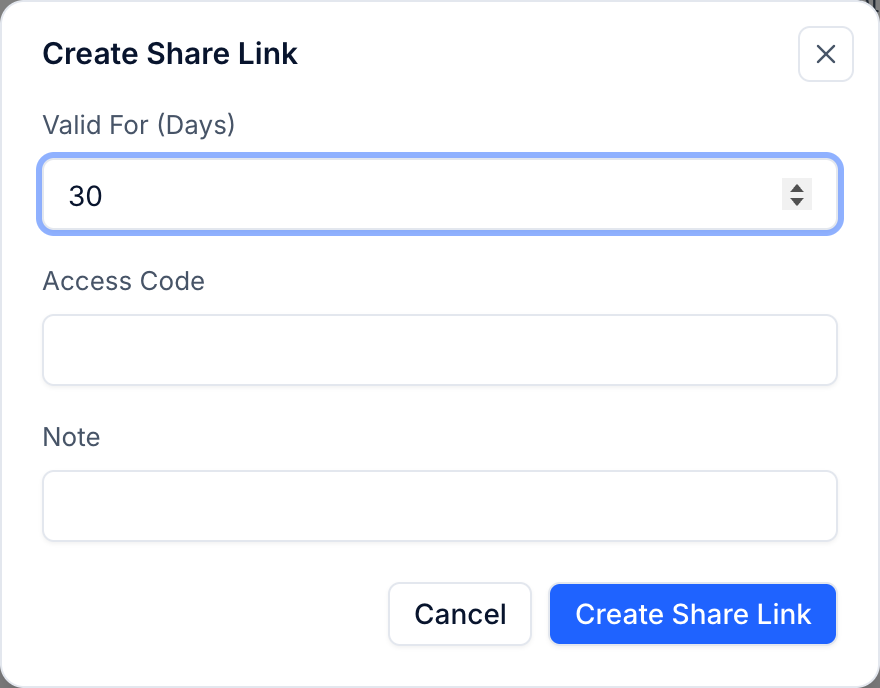
- Open Compliance → Packages and choose Create Share Link on the package.
- Set Valid For (Days).
- Optionally set an Access Code. Send the code to the reviewer separately, not in the same email as the link.
- Add a Note to remember who the link is for, and choose Create Share Link.
Copy the link straight away: it is shown only once.
Manage Links
The Share Links tab lists every link with its status and how many times it was visited. Choose Revoke to stop a link working at once. Revoking cannot be undone; create a new link if the reviewer needs access again.