

A product in Nuxy is one product line, such as a router or a camera, which can have several models and versions. Everything else, from SBOMs to compliance assessments, belongs to a product.
Create the Product
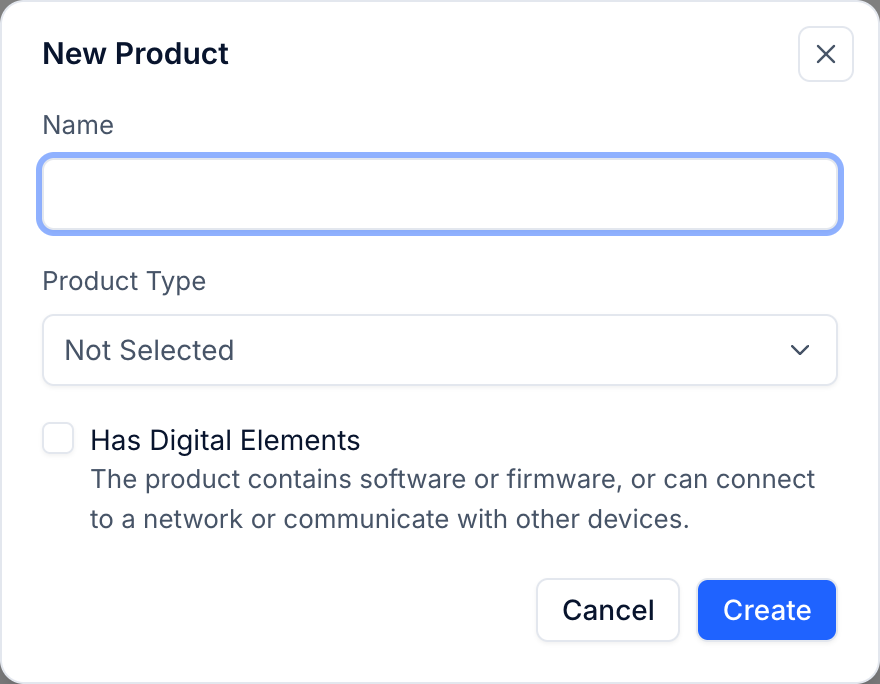
- Open Inventory → Products and choose New Product.
- Enter the Name and choose a Product Type. The type fills in typical functions for you, which you can change later.
- Tick Has Digital Elements if the product contains software or firmware, or can connect to a network or other devices. This turns on SBOMs, vulnerabilities and the security center for the product.
- Choose Create.
The product opens on its Profile tab. Profile changes are saved as you type.
Basic Information
- Models: every model number sold under this product.
- Manufacturer: keep Same as Organization, or choose Enter Separately when another company is the manufacturer.
- Context of Use: the intended and foreseeable use, the users and the operating environment. Risk assessments start from this.
Product Type and Functions
Check the functions the product type filled in, and add or remove ones that do not match your product. The risk assessment wizard suggests risks from these functions.
Markets and Support Period
- Markets: add each market with Add Market, and its placing date, planned or actual.
- Support Period: when security support ends, the expected years of use and the basis for the support period.
Security Owner
At the top of the product, choose the Security Owner: the person responsible for the product's security.
Versions
On the Versions tab, choose New Version for each release or revision. A version can be In Development, Released or End of Support. SBOMs and vulnerabilities belong to versions; see Upload an SBOM.